Take a photo
Photograph the product or import a picture. Scan its barcode for a database match, or let a connected AI identify it and research its composition. Add more photos when needed.
 Vegsnap
Early release · Open source
Photograph a product or select text on a webpage. Vegsnap checks its ingredients and materials, then shows the evidence and any missing details.
Android · Chromium · Firefox
You don't need a Vegsnap account. Your history stays on your device.
HOW IT WORKS
Photograph the product or import a picture. Scan its barcode for a database match, or let a connected AI identify it and research its composition. Add more photos when needed.
Select text or right-click a product image in Chromium or Firefox. Opt into store badges for background database checks.
See which ingredients and sources support the result. Company concerns and AI company assessments have their own sources and stay separate from the product result.
SCREENSHOTS
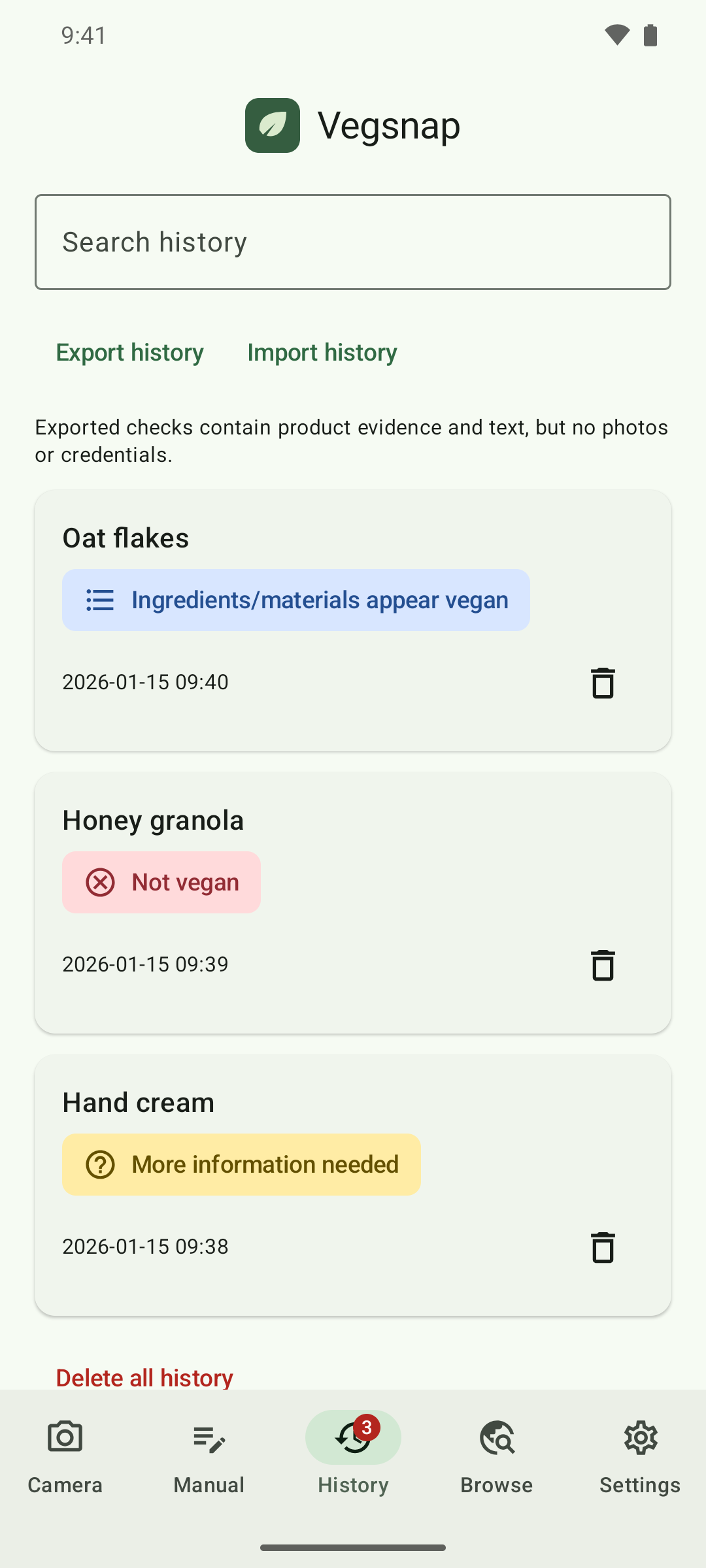
Check a label, read the findings or look up a past result.
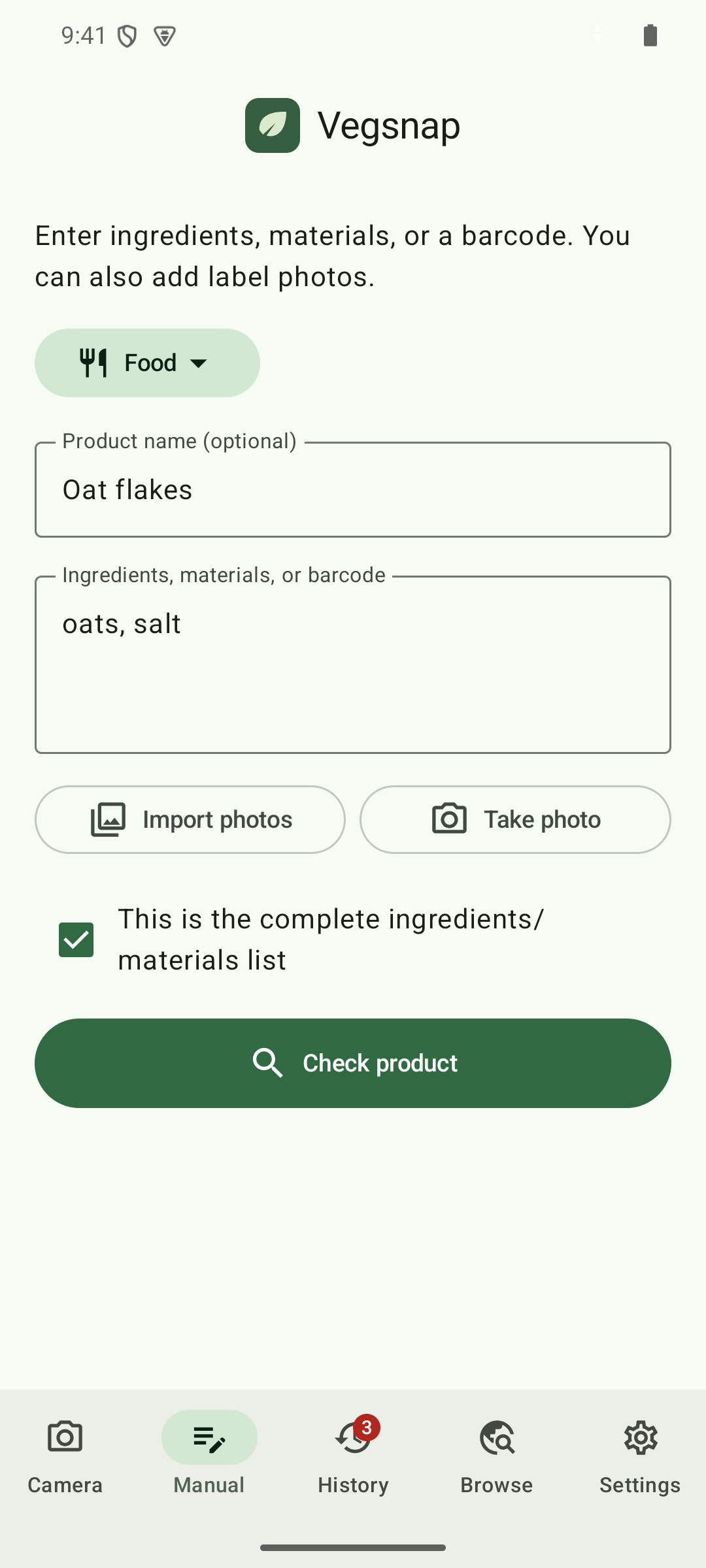
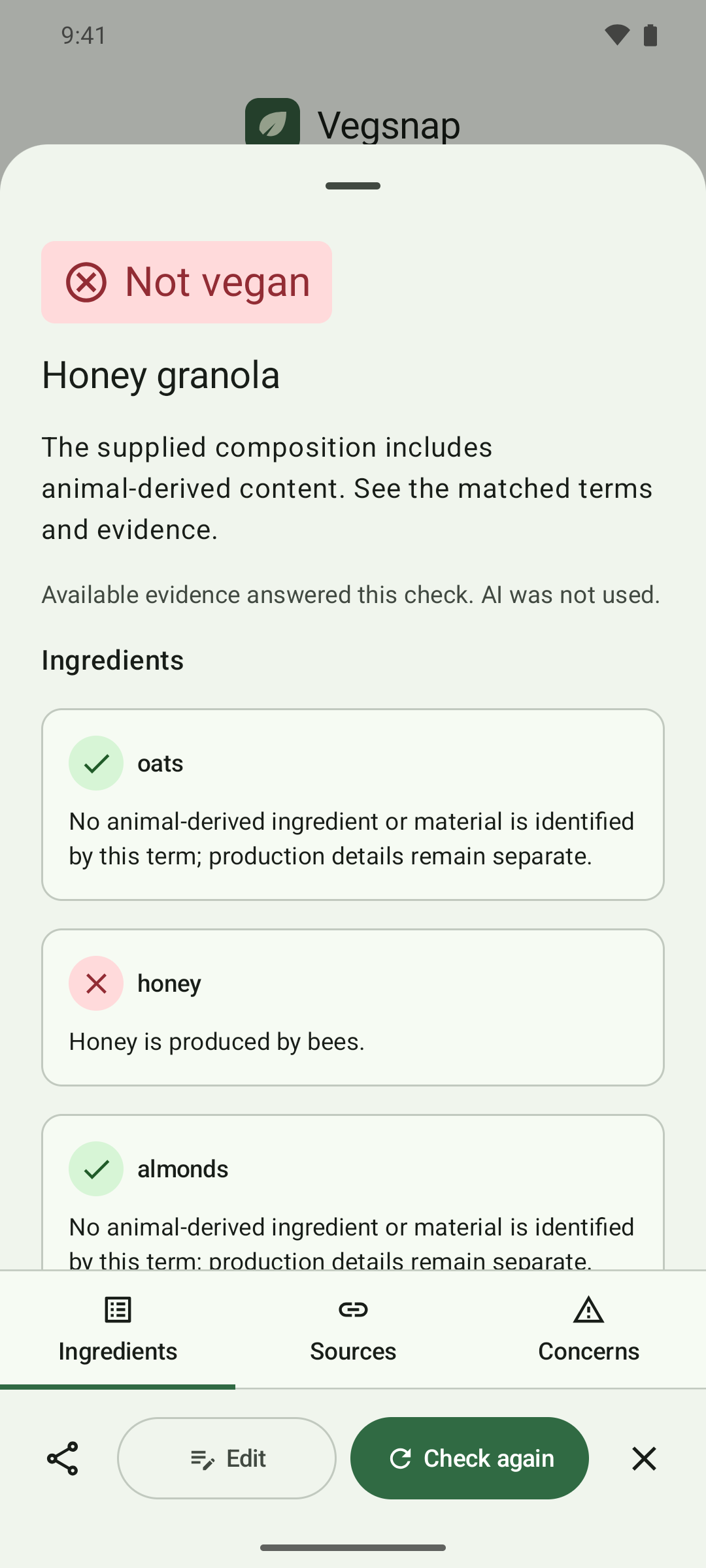
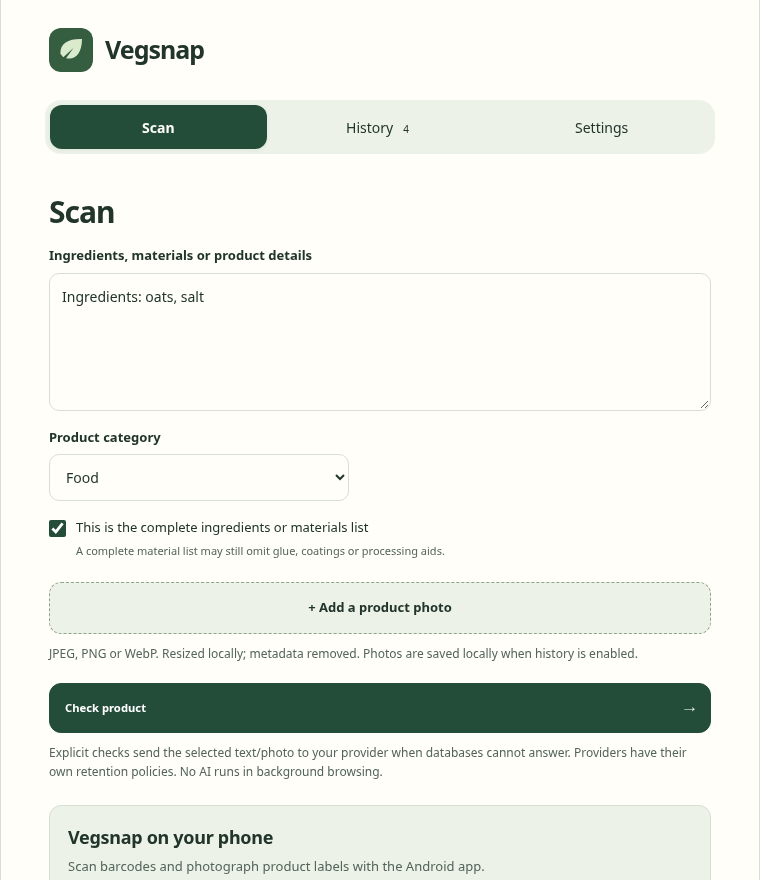
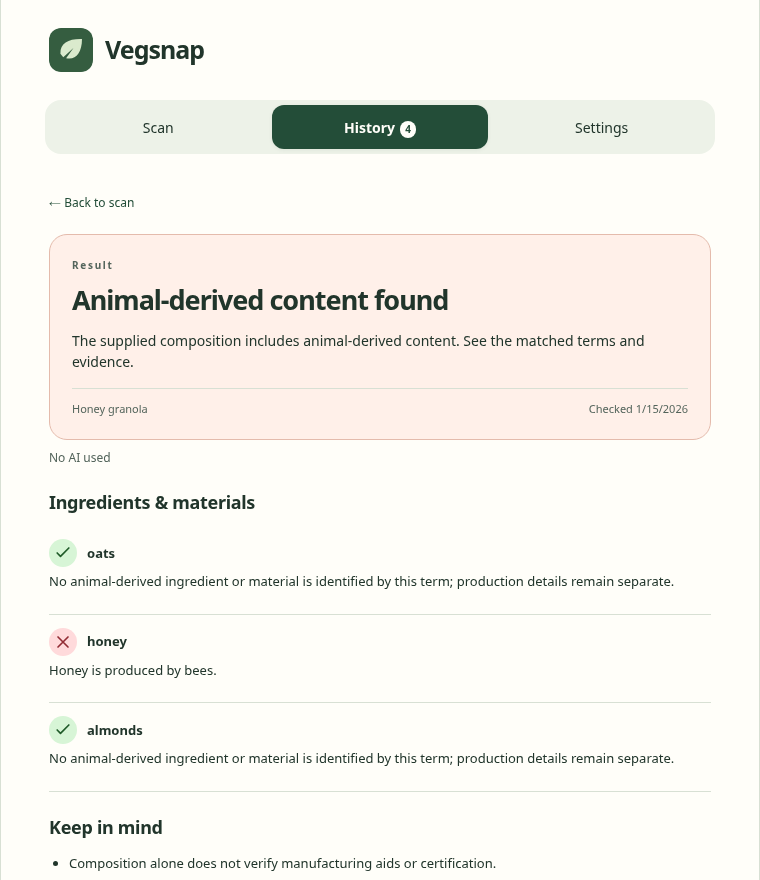
Select any image to explore the screenshots in full screen.
THE EVIDENCE
A shoe's material list may omit its glue. Vegsnap points out missing details and distinguishes ingredient checks from vegan claims on a label.
Product-specific certification evidence supports it.
A matching statement from the maker supports it.
The supplied ingredients or materials support it.
See the specific ingredient or material.
Missing details and conflicting sources stay visible.
PRIVACY
Database checks and local rules work without an AI account. If you connect a provider, Vegsnap explains which content a check sends to it.
Source codeVegsnap saves your history on your device. You can delete saved checks and photos.
Connect an eligible ChatGPT plan, an API provider or a compatible local model. Checks you start may send selected text and photos to that provider.
Store integrations use product databases in the background. AI runs when you start a check.
The app, extension and companion use the AGPL-3.0 license. They have no ads or analytics.
DOWNLOAD
Download the Android app or set up the browser extension.
A native app with camera and barcode scanning, manual checks, database browsing and local photo history. Checks can continue in the background.
Android 8 or later · Signed APK
Obtainium can track future releases directly from GitHub. Download regional packs in the app for offline checks and browsing.
Check selected text and product images across ordinary websites. Store integrations are optional.
Extract the ZIP and load its folder in developer mode on chrome://extensions. The Firefox XPI is unsigned; load it temporarily through about:debugging. Firefox removes it when the browser closes. Download CRX. Some browsers restrict direct CRX installation.
The extension needs the Vegsnap desktop companion for ChatGPT sign-in. API-key connections work without it.
Download the archive for your operating system to your Downloads folder. Install Python 3, then run these commands in a terminal. Keep the extracted files in this location.
For Linux x86_64. Credentials need an unlocked Secret Service wallet, such as KDE Wallet with Secret Service enabled.
mkdir -p "$HOME/.local/lib/vegsnap"
tar -xzf "$HOME/Downloads/vegsnap-companion-linux-x86_64.tar.gz" \
  -C "$HOME/.local/lib/vegsnap"
chmod +x "$HOME/.local/lib/vegsnap/vegsnap-companion"For Intel and Apple Silicon. The companion uses macOS Keychain. It is not Apple-notarized. If macOS blocks it, review the executable in System Settings under Privacy & Security.
mkdir -p "$HOME/Library/Application Support/Vegsnap"
tar -xzf "$HOME/Downloads/vegsnap-companion-macos-universal.tar.gz" \
  -C "$HOME/Library/Application Support/Vegsnap"
chmod +x "$HOME/Library/Application Support/Vegsnap/vegsnap-companion"For Windows x86_64. Install the Visual C++ v14 Redistributable for x64, then run these commands in PowerShell. The companion uses Windows Credential Manager.
$vegsnapDirectory = Join-Path $env:LOCALAPPDATA "Vegsnap\Companion"
New-Item -ItemType Directory -Force -Path $vegsnapDirectory | Out-Null
Expand-Archive -Force `
  -Path "$HOME\Downloads\vegsnap-companion-windows-x86_64.zip" `
  -DestinationPath $vegsnapDirectory
Next, register the companion for each browser you use below. These commands do not need administrator access.
Choose your operating system, then run the command for each browser you use. Install the companion with the commands above first.
python3 "$HOME/.local/lib/vegsnap/install.py" \
  --binary "$HOME/.local/lib/vegsnap/vegsnap-companion" \
--browser firefox --extension-id vegsnap@vegsnap.apppython3 "$HOME/.local/lib/vegsnap/install.py" \
--binary "$HOME/.local/lib/vegsnap/vegsnap-companion" \
--browser chromium --extension-id bljmddjdbglldnbdhdfdlbilieoheendpython3 "$HOME/.local/lib/vegsnap/install.py" \
--binary "$HOME/.local/lib/vegsnap/vegsnap-companion" \
--browser chrome --extension-id bljmddjdbglldnbdhdfdlbilieoheendpython3 "$HOME/Library/Application Support/Vegsnap/install.py" \
--binary "$HOME/Library/Application Support/Vegsnap/vegsnap-companion" \
--browser firefox --extension-id vegsnap@vegsnap.apppython3 "$HOME/Library/Application Support/Vegsnap/install.py" \
--binary "$HOME/Library/Application Support/Vegsnap/vegsnap-companion" \
--browser chromium --extension-id bljmddjdbglldnbdhdfdlbilieoheendpython3 "$HOME/Library/Application Support/Vegsnap/install.py" \
--binary "$HOME/Library/Application Support/Vegsnap/vegsnap-companion" \
--browser chrome --extension-id bljmddjdbglldnbdhdfdlbilieoheend$vegsnapDirectory = Join-Path $env:LOCALAPPDATA "Vegsnap\Companion"
py -3 "$vegsnapDirectory\install.py" `
--binary "$vegsnapDirectory\vegsnap-companion.exe" `
--browser firefox --extension-id vegsnap@vegsnap.app$vegsnapDirectory = Join-Path $env:LOCALAPPDATA "Vegsnap\Companion"
py -3 "$vegsnapDirectory\install.py" `
--binary "$vegsnapDirectory\vegsnap-companion.exe" `
--browser chromium --extension-id bljmddjdbglldnbdhdfdlbilieoheend$vegsnapDirectory = Join-Path $env:LOCALAPPDATA "Vegsnap\Companion"
py -3 "$vegsnapDirectory\install.py" `
--binary "$vegsnapDirectory\vegsnap-companion.exe" `
--browser chrome --extension-id bljmddjdbglldnbdhdfdlbilieoheendAfter registration, open the extension's settings and choose Connect ChatGPT. The Chromium release ID stays the same across updates.
Yes. Vegsnap is free and open source. Public database checks and local rules need no AI account. Optional AI providers have their own usage limits and charges.
You can check any product category, including clothes and shoes. Some products have too little information for an answer. Vegsnap then shows what is missing.
Eligible accounts can connect ChatGPT as an optional AI provider. The browser extension uses a small desktop companion for this connection. API-key connections work without the companion.
Open Food Facts, Open Beauty Facts and Open Products Facts provide community product data. The Android Browse tab also searches Barnivore for drinks and Wikidata for product information. Downloadable regional packs contain a partial selection of product records. Supported AI connections can research web sources. Community data and AI-read claims are not independent certification checks.
Vegsnap shows reviewed records of animal testing, opposition to animal-welfare protections and other documented animal exploitation. Connected AI can also assess the company using searched sources. Its assessment is labeled separately and may be inconclusive. Parent-company concerns need ownership evidence. Neither changes the product's vegan result. Selling animal products alone does not qualify, and no concerns found is not an ethical endorsement.
Vegsnap explains what is missing. When AI finds a manufacturer contact, you can copy a question about the product or open an email draft to ask for clarification.
A native iOS app is planned for later. This release focuses on Android and desktop browsers.